
合并来自 demo 的合并请求 #1

- 第一步:将需要处理的图片上传到
images文件夹中 - 第二步:
./start.sh开始处理
处理完毕后,结果在results文件夹中
./start.sh的参数请参照下文。
python inference_realesrgan.py -n RealESRGAN_x4plus -i inputs --face_enhance
结果在results文件夹
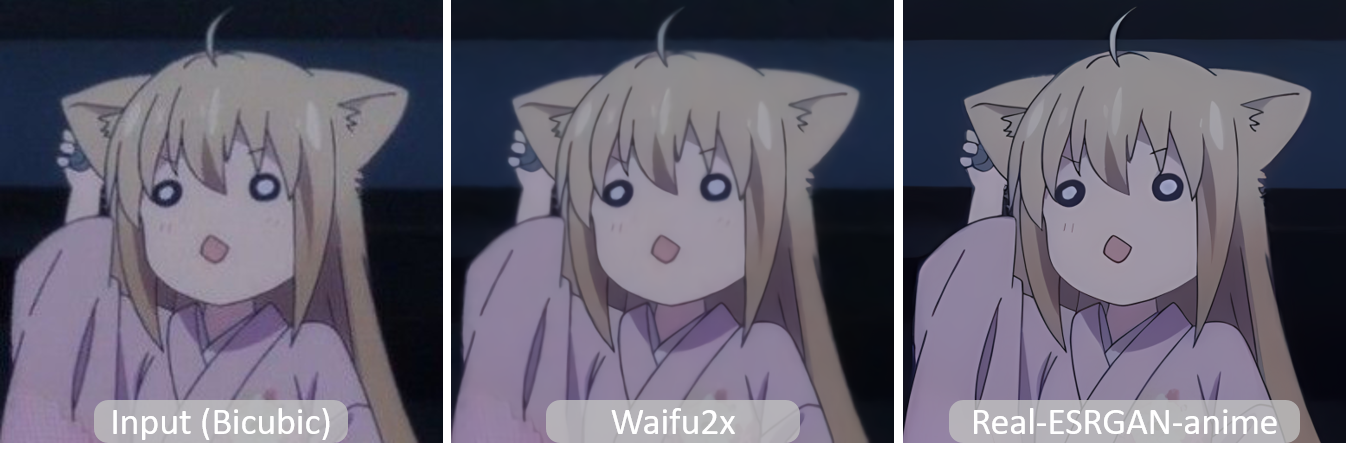
训练好的模型: RealESRGAN_x4plus_anime_6B
有关waifu2x的更多信息和对比在anime_model.md中。
# 下载模型
wget https://github.com/xinntao/Real-ESRGAN/releases/download/v0.2.2.4/RealESRGAN_x4plus_anime_6B.pth -P weights
# inference
python inference_realesrgan.py -n RealESRGAN_x4plus_anime_6B -i inputs
结果在results文件夹
- 虽然你使用了 X4 模型,但是你可以 输出任意尺寸比例的图片,只要实用了
outscale参数. 程序会进一步对模型的输出图像进行缩放。
Usage: python inference_realesrgan.py -n RealESRGAN_x4plus -i infile -o outfile [options]...

A common command: python inference_realesrgan.py -n RealESRGAN_x4plus -i infile --outscale 3.5 --face_enhance

  -h                   show this help
  -i --input           Input image or folder. Default: inputs
  -o --output          Output folder. Default: results
  -n --model_name      Model name. Default: RealESRGAN_x4plus
  -s, --outscale       The final upsampling scale of the image. Default: 4
  --suffix             Suffix of the restored image. Default: out
  -t, --tile           Tile size, 0 for no tile during testing. Default: 0
  --face_enhance       Whether to use GFPGAN to enhance face. Default: False
  --fp32               Whether to use half precision during inference. Default: False
  --ext                Image extension. Options: auto | jpg | png, auto means using the same extension as inputs. Default: auto
Sponsor
About
35/F,Tencent Building,Kejizhongyi Avenue,Nanshan District,Shenzhen
