


ImageFlow is an efficient image service system designed for modern websites and applications. It automatically provides the most suitable images based on device type and supports modern image formats like WebP and AVIF, significantly improving website performance and user experience.
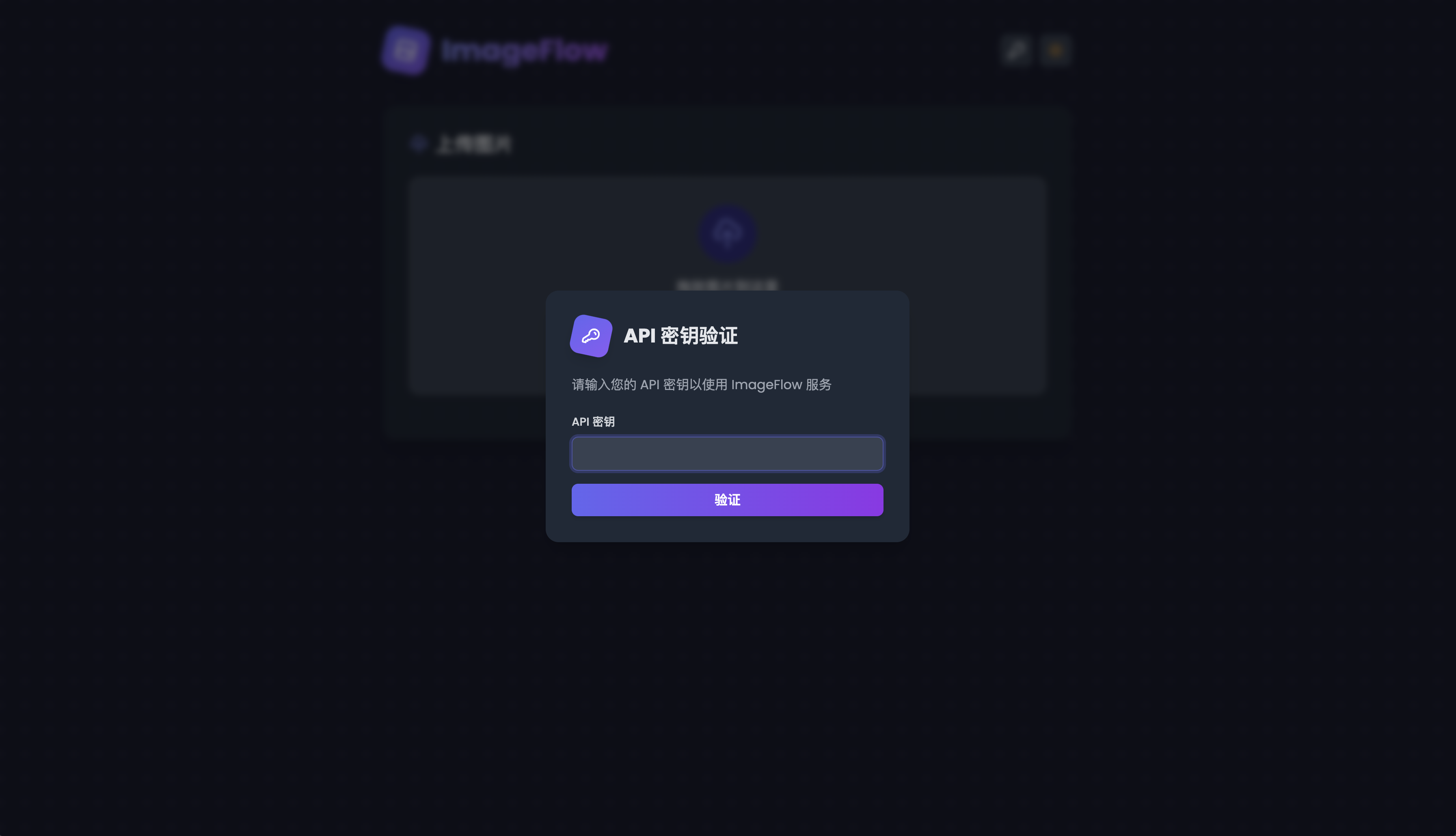
- API Key Authentication: Secure API key verification mechanism to protect your image upload functionality
- Adaptive Image Service: Automatically provides landscape or portrait images based on device type (desktop/mobile)
- Modern Format Support: Automatically detects browser compatibility and serves WebP or AVIF format images
- Image Expiration: Set expiration times for images with automatic deletion when expired (works with both local and S3 storage)
- Simple API: Get random images through simple API calls with tag filtering support
- User-Friendly Upload Interface: Drag-and-drop upload interface with dark mode support, real-time preview, and tag management
- Image Management: View, filter, and delete images with an intuitive management interface
- Automatic Image Processing: Automatically detects image orientation and converts to multiple formats after upload
- Asynchronous Processing: Image conversion happens in the background without affecting the main service
- High Performance: Optimized for network performance to reduce loading time
- Easy Deployment: Simple configuration and deployment process
- Multiple Storage Support: Supports local storage and S3-compatible storage (like R2)
- Security: API key verification mechanism ensures secure access to image upload and management functionality
- Format Conversion: Automatically converts uploaded images to WebP and AVIF formats, reducing file size by 30-50%
- Device Adaptation: Provides the most suitable image orientation for different devices
- Image Lifecycle Management: Set expiration times for images with automatic cleanup when expired across all storage types
- Hot Reload: Uploaded images are immediately available without service restart
- Concurrent Processing: Efficiently handles image conversion using Go's concurrency features
- Consistent Management: When deleting an image, all related formats (original, WebP, AVIF) are removed simultaneously
- Scalability: Modular design for easy extension and customization
- Responsive Design: Perfect adaptation for desktop and mobile devices
- Dark Mode Support: Automatically adapts to system theme with manual toggle option
- Flexible Storage: Supports local and S3-compatible storage, easily configured via .env file


- Go 1.22 or higher
- Node.js 18 or higher (for frontend build)
- WebP tools (
libwebp-tools) - AVIF tools (
libavif-apps) - Docker and Docker Compose (optional, for containerized deployment)
- Clone the repository
git clone https://github.com/Yuri-NagaSaki/ImageFlow.git
cd ImageFlow
- Build frontend
cd frontend
bash build.sh
- Build backend
go mod tidy
go build -o imageflow
- Configure environment variables
cp .env.example .env
# Edit the .env file with your configuration
- Set up system service (example using systemd)
[Unit]
Description=ImageFlow Service
After=network.target

[Service]
ExecStart=/path/to/imageflow
WorkingDirectory=/path/to/imageflow/directory
Restart=always
User=youruser
EnvironmentFile=/path/to/imageflow/.env

[Install]
WantedBy=multi-user.target
- Enable the service
sudo systemctl enable imageflow
sudo systemctl start imageflow
- Using pre-built image (recommended)
# 1. Clone the repository
git clone https://github.com/Yuri-NagaSaki/ImageFlow.git
cd ImageFlow

# 2. Configure environment
cp .env.example .env
# Edit the .env file

# 3. Start service
docker compose up -d
- Local build deployment
# 1. Clone the repository
git clone https://github.com/Yuri-NagaSaki/ImageFlow.git
cd ImageFlow

# 2. Configure environment
cp .env.example .env
# Edit the .env file

# 3. Build and start
docker compose -f docker-compose-build.yml up --build -d
Configure the system by creating and editing the .env file. Here are the main configuration options:
# API Key Configuration
API_KEY=your_api_key_here  # Set your API key

# Storage Configuration
STORAGE_TYPE=local  # Storage type: local or s3 (S3-compatible storage)
LOCAL_STORAGE_PATH=static/images  # Local storage path

# S3 Storage Configuration (required when STORAGE_TYPE=s3)
S3_ENDPOINT=  # S3 endpoint address
S3_REGION=    # S3 region
S3_ACCESS_KEY=  # Access key
S3_SECRET_KEY=  # Secret key
S3_BUCKET=      # Bucket name
CUSTOM_DOMAIN=  # Custom domain

# Image Processing Configuration
MAX_UPLOAD_COUNT=20    # Maximum upload count per request
IMAGE_QUALITY=80      # Image quality (1-100)
WORKER_THREADS=4      # Number of parallel processing threads
COMPRESSION_EFFORT=6  # Compression level (1-10)
FORCE_LOSSLESS=false  # Force lossless compression
Image upload functionality requires API key authentication. You can:
- Set the API key in the
.envfile - Enter the API key through the web interface
- The API key will be saved after successful verification
Access the upload interface at http://localhost:8686/. You can:
- Drag and drop images to the upload area
- Click to select images for upload
- Set an expiration time for images (optional)
- Add tags to categorize your images (optional)
- Preview selected images in real-time
- System automatically detects if images are landscape or portrait
- After upload, images are automatically converted to WebP and AVIF formats
- If an expiration time is set, images will be automatically deleted after expiration
Access the management interface at http://localhost:8686/manage.html. You can:
- View all uploaded images with filtering options by format, orientation, and tags
- Click on any image to view detailed information
- Copy the direct URL to the image for easy sharing
- Delete images when no longer needed (requires API key authentication)
- When an image is deleted, all associated formats (original, WebP, AVIF) are removed simultaneously
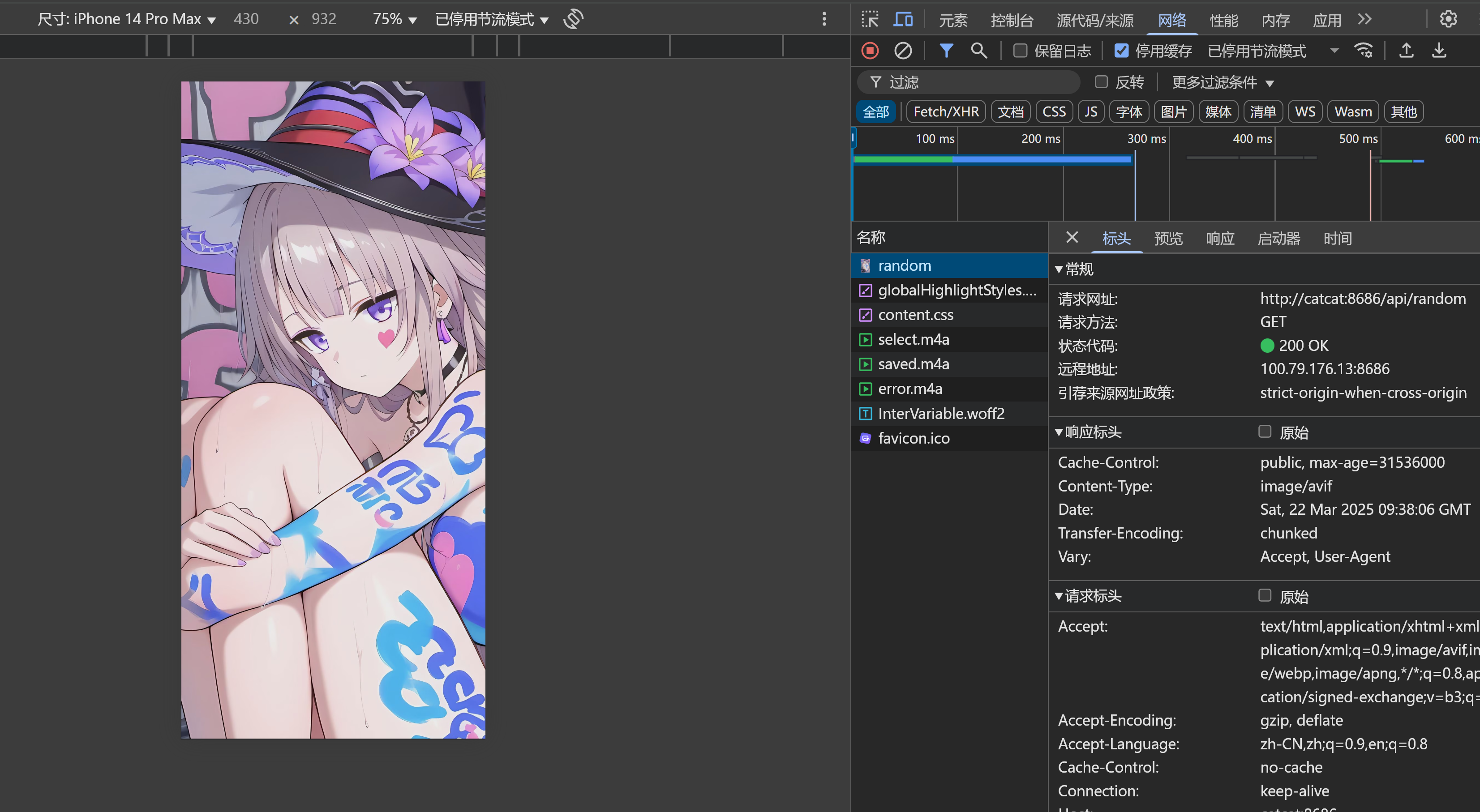
Get random images through the API (no API key required):
GET http://localhost:8686/api/random
GET http://localhost:8686/api/random?tag=nature
The system returns the most suitable image based on the device type and browser support in request headers. You can also filter random images by tags.
| Endpoint | Method | Description | Parameters | Authentication |
|---|---|---|---|---|
/api/random | GET | Get a random image | tag: Optional, filter by tag | Not required |
/api/upload | POST | Upload new images | Form data, field name "images[]" Optional: expiryMinutes (expiration time in minutes)Optional: tags (array of tags) | API key required |
/api/delete-image | POST | Delete an image and all its formats | JSON with id and storageType | API key required |
/api/validate-api-key | POST | Validate API key | API key in request header | Not required |
/api/images | GET | List all uploaded images | Optional: tag (filter by tag) | API key required |
/api/config | GET | Get system configuration | None | API key required |
/api/trigger-cleanup | POST | Manually trigger cleanup of expired images | None | API key required |
/api/tags | GET | Get all available tags | None | API key required |
ImageFlow/
├── .github/        # GitHub related configurations
├── config/         # Configuration related code
├── docs/          # Documentation and images
├── favicon/       # Favicon assets
├── frontend/      # Next.js frontend application
│   ├── app/       # Next.js app directory
│   ├── public/    # Public assets
│   ├── .next/     # Next.js build output
│   ├── out/       # Static export output
│   ├── build.sh   # Build script for Unix
│   └── build.bat  # Build script for Windows
├── handlers/      # HTTP request handlers
├── scripts/       # Utility scripts
├── static/        # Static files and image storage
│   └── images/    # Image storage directory
│       ├── landscape/  # Landscape images
│       │   ├── avif/   # AVIF format
│       │   └── webp/   # WebP format
│       ├── portrait/   # Portrait images
│       │   ├── avif/   # AVIF format
│       │   └── webp/   # WebP format
│       ├── original/   # Original images
│       │   ├── landscape/  # Original landscape
│       │   └── portrait/   # Original portrait
│       ├── gif/       # GIF format images
│       └── metadata/  # Image metadata (including expiration information)
├── utils/         # Utility functions
├── .env          # Environment variables
├── .env.example  # Example environment configuration
├── Dockerfile    # Docker configuration
├── docker-compose.yaml      # Docker Compose configuration
├── docker-compose-build.yml # Docker Compose build configuration
├── go.mod        # Go module file
├── go.sum        # Go module checksum
├── main.go       # Main application entry
└── README.md     # Project documentation
- Tag Management: Added support for tagging images during upload and filtering by tags
- Improved UI: Enhanced tag management interface with modern design
- Bug Fixes:
- Fixed image expiration functionality to work properly with both local and S3 storage
- Improved PNG image handling with optional lossless compression
- Fixed random image API to correctly filter by tags
- Optimized device-specific image orientation detection
Contributions are welcome! Feel free to submit code, report issues, or suggest improvements!
This project is licensed under the MIT License - see the LICENSE file for details.
Blog - 猫猫博客
Project Link: https://github.com/Yuri-NagaSaki/ImageFlow
YXVM赞助了本项目
NodeSupport赞助了本项目
⭐ If you like this project, please give it a star! ⭐
Made with ❤️ by Yuri NagaSaki
