English | Chinese
IMPORTANT
This project was originally just a simple homepage. However, as more and more friends discovered this project, it received a lot of undue attention. Moreover, as a work of a beginner in front-end development, its code is quite messy and of low quality. In addition, this project has also been resold by many unknown resource or download sites, causing many unsuspecting buyers to find my contact information from the source code to consult on problems or request features. But due to current personal life reasons, and I have never gained any benefits from this project, so I am unable to maintain this project. This repository will not be archived. We will actively accept PRs from all the experts, but no updates will be made for any new features or bugs. Please understand!
Simple little homepage, had enough of the original one and made a new one
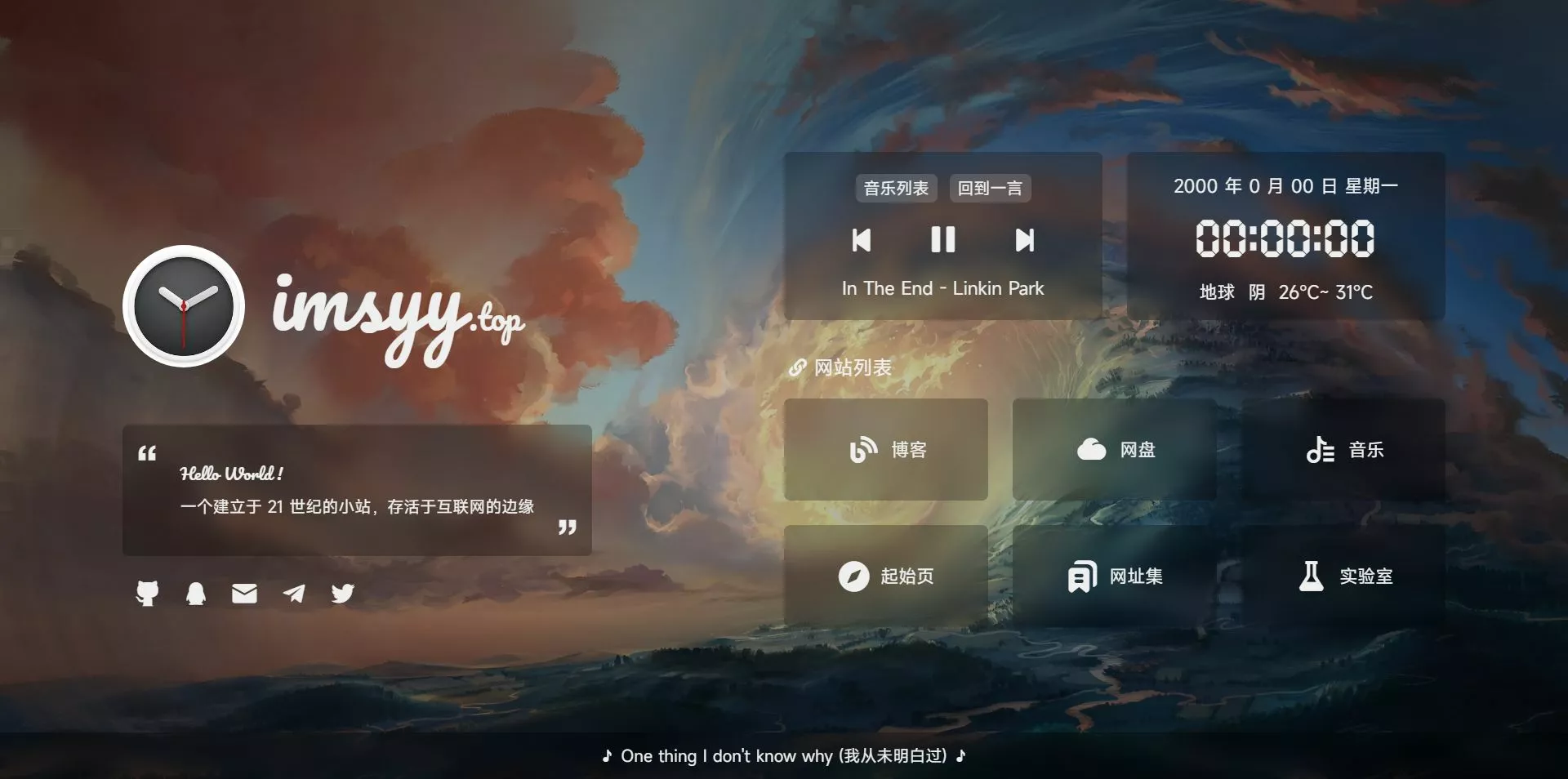
The logo font on the home page has been compressed, so if you use a font other than this logo, it will change back to the default font, Here is the full font
Due to CDN caching, you may need
Ctrl+F5to force a browser cache refresh to see the latest results
- Loading animation
- Site description
- Hitokoto
- Date and time
- Live weather
- Time progress bar
- Music player
- Mobile adaptation
- Player cancels using Aplayer
-
Installation node.js Environment
node > 16.16.0
npm > 8.15.0 -
Then run the
cmdterminal with administrator privileges andcdto the project root directory -
In the
terminaltype:
# Install pnpm
npm install -g pnpm

# Install the dependencies
pnpm install

# Preview
pnpm dev

# Build
pnpm build
Once the build is complete, the files in the
distfolder can be uploaded to the server or imported and automatically deployed with one click using a hosting platform such asVercel.
Weather and area access requires 高德开放平台 related API
- Go to 高德开放平台控制台 to create a
Keyof typeWeb Serviceand fill theKeyintoVITE_WEATHER_KEYin.env
It can also be replaced by other methods
This project uses the
Aplayermusic player based onMetingJSfor quick song list customization
*Only supported in Mainland China
Please change the song related parameters in the .env file to customize the song list
# Songs API address
VITE_SONG_API = "https://api-meting.imsyy.top"
# Song server ( netease-netease, tencent-qq music )
VITE_SONG_SERVER = "netease"
# Playback type ( song-song, playlist-playlist, album-album, search-search, artist-artist )
VITE_SONG_TYPE = "playlist"
# Playback ID
VITE_SONG_ID = "7452421335"
Now using HarmonyOS Sans open source font, using font splitting to improve loading speed
Because this site's
CDNhas opened anti-leech, non-site domain name is not accessible, please change the font import link to the following content, otherwise custom fonts will be invalid
https://cdn.jsdelivr.net/gh/imsyy/file/font/HarmonyOS_Sans/regular.min.css
old way
As Chinese fonts are introduced in this project, Chinese fonts need to be compressed to improve the loading speed of the page (you can also cancel the use of Chinese fonts)
- Install
Python 3.7andpip - Run
pip install fonttools - Download sc_unicode.txt
- Run
pyftsubset font-name.ttf --unicodes-file=sc_unicode.txt
- Compile and install
Google woff2
sudo apt-get install -y git g++ make
git clone --recursive https://github.com/google/woff2.git
cd woff2
make clean all
- Compress the font again
. /woff2_compress . /font_name.ttf
- Eventually the original font can be slow loaded, load the compressed font first
For more information, please go to 虹墨空间站 to view the original article