

This is a major version upgrade for PromptGen. In this new version, two new caption instructions are added: <GENERATE_TAGS> and <MIXED_CAPTION> You'll also notice significantly improved accuracy with this version, thanks to a new training dataset. It no longer relies on Civitai Data, avoiding the issues of lora trigger words and inaccurate tags from misinterpretation.
Florence-2-base-PromptGen is a model trained for MiaoshouAI Tagger for ComfyUI. It is an advanced image captioning tool based on the Microsoft Florence-2 Model Base and fine-tuned to perfection.
Most vision models today are trained mainly for general vision recognition purposes, but when doing prompting and image tagging for model training, the format and details of the captions is quite different. Florence-2-base-PromptGen is trained on such a purpose as aiming to improve the tagging experience and accuracy of the prompt and tagging job. The model is trained based on images and cleaned tags from Civitai so that the end result for tagging the images are the prompts you use to generate these images. You won't get annoying captions like "This is image is about a girl..." or
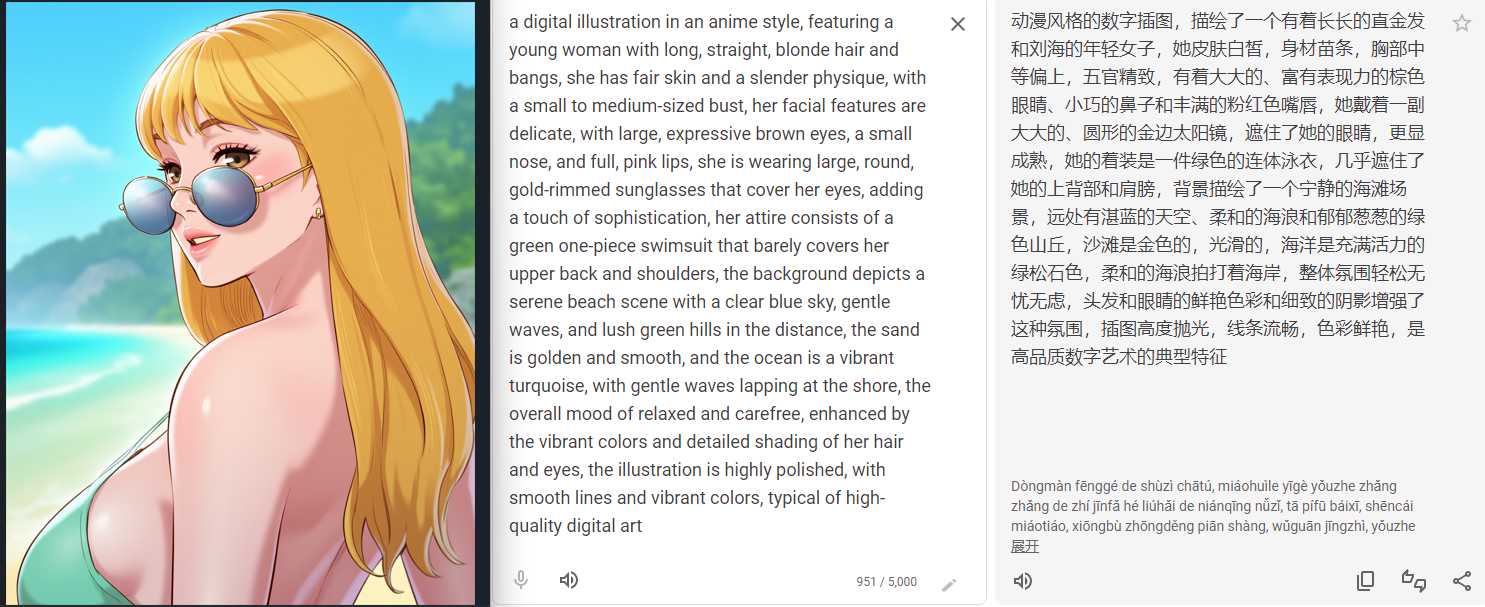
- Describes image in much detail when using <MORE_DETAILED_CAPTION> instruction.
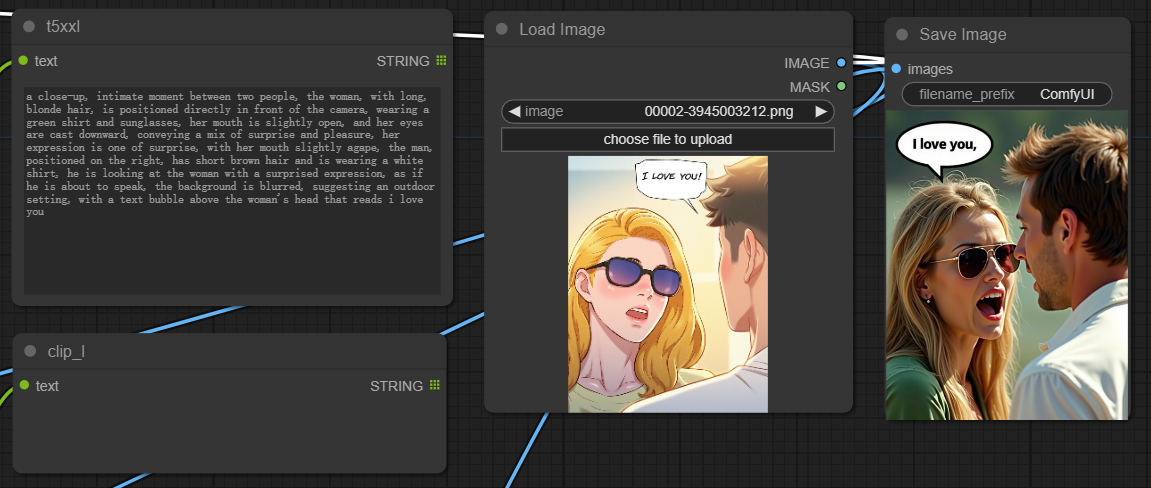
- When using <DETAILED_CAPTION> instruction, it creates a structured caption with infomation on subject's position and also reads the text from the image, which can be super useful when recreate a scene.
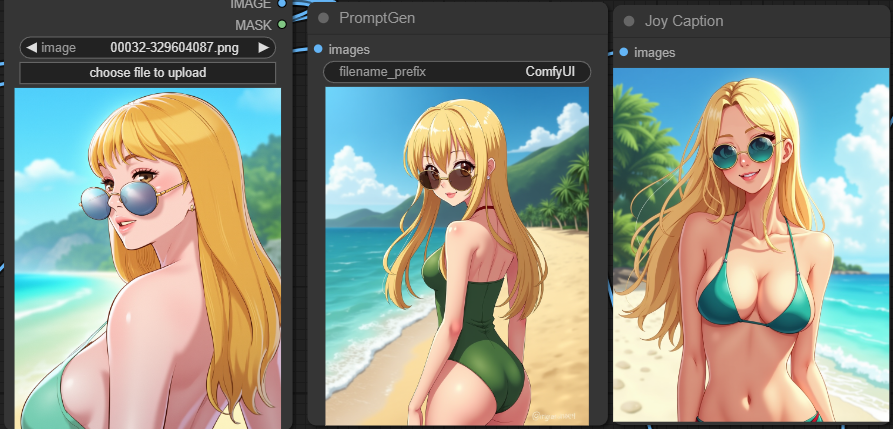
- Memory efficient compare to other models! This is a really light weight caption model that allows you to use a little more than 1G of VRAM and produce lightening fast and high quality image captions.
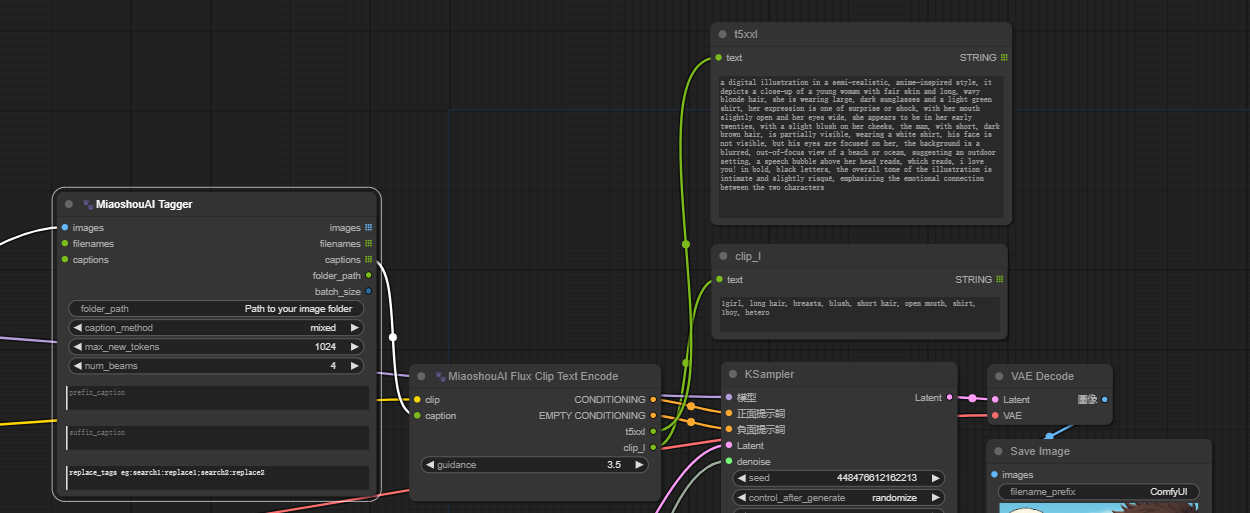
- Designed to handle image captions for Flux model for both T5XXL CLIP and CLIP_L, the Miaoshou Tagger new node called "Flux CLIP Text Encode" which eliminates the need to run two separate tagger tools for caption creation. You can easily populate both CLIPs in a single generation, significantly boosting speed when working with Flux models.
<GENERATE_TAGS> generate prompt as danbooru style tags
<CAPTION> a one line caption for the image
<DETAILED_CAPTION> a structured caption format which detects the position of the subjects in the image
<MORE_DETAILED_CAPTION> a very detailed description for the image
<MIXED_CAPTION> a mixed caption style of more detailed caption and tags, this is extremely useful for FLUX model when using T5XXL and CLIP_L together. A new node in MiaoshouTagger ComfyUI is added to support this instruction.
For version 1.5, you will notice the following
- <GENERATE_PROMPT> is deprecated and replace by <GENERATE_TAGS>
- A new instruction for <MIXED_CAPTION>
- A much improve accuracy for <DETAILED_CAPTION> and <MORE_DETAILED_CAPTION>
- Improved ability for recognizing watermarks on images.
To use this model, you can load it directly from the Hugging Face Model Hub:
model = AutoModelForCausalLM.from_pretrained("MiaoshouAI/Florence-2-base-PromptGen-v1.5", trust_remote_code=True)
processor = AutoProcessor.from_pretrained("MiaoshouAI/Florence-2-base-PromptGen-v1.5", trust_remote_code=True)

prompt = "<MORE_DETAILED_CAPTION>"

url = "https://huggingface.co/datasets/huggingface/documentation-images/resolve/main/transformers/tasks/car.jpg?download=true"
image = Image.open(requests.get(url, stream=True).raw)

inputs = processor(text=prompt, images=image, return_tensors="pt").to(device)

generated_ids = model.generate(
    input_ids=inputs["input_ids"],
    pixel_values=inputs["pixel_values"],
    max_new_tokens=1024,
    do_sample=False,
    num_beams=3
)
generated_text = processor.batch_decode(generated_ids, skip_special_tokens=False)[0]

parsed_answer = processor.post_process_generation(generated_text, task=prompt, image_size=(image.width, image.height))

print(parsed_answer)
If you just want to use this model, you can use it under ComfyUI-Miaoshouai-Tagger
https://github.com/miaoshouai/ComfyUI-Miaoshouai-Tagger
A detailed use and install instruction is already there. (If you have already installed MiaoshouAI Tagger, you need to update the node in ComfyUI Manager first or use git pull to get the latest update.)
